Opening the post0.0s
10 min read
How about orchestrating a codebase on 5GB VRAM using a local Qwen3.5-35B-A3B (~25-30 tokens/sec through llama.cpp, 65k context, remaining layers offloaded to system RAM)?
Even better, when two simultaneous agent instances can run comfortably at ~15-20 t/s, which natively supports both thinking and non-thinking models (including Gemma 4), or can be pointed at heavy-compute cloud endpoints for complex architectural tasks.
If this sounds too good to be true, please keep reading.
Running local LLMs often feels like a downgrade from premium cloud subscriptions, but the real constraint is not just model quality, it is systems design.
Context windows are finite, and simply increasing token capacity does not eliminate the need to control what the model sees.
In practice, larger contexts frequently introduce more noise, more drift, and weaker reasoning when that context is not actively curated.
What local coding agents need is not a bigger monolithic chat loop, but a better execution architecture: a lighterweight terminal environment that separates planning from implementation.
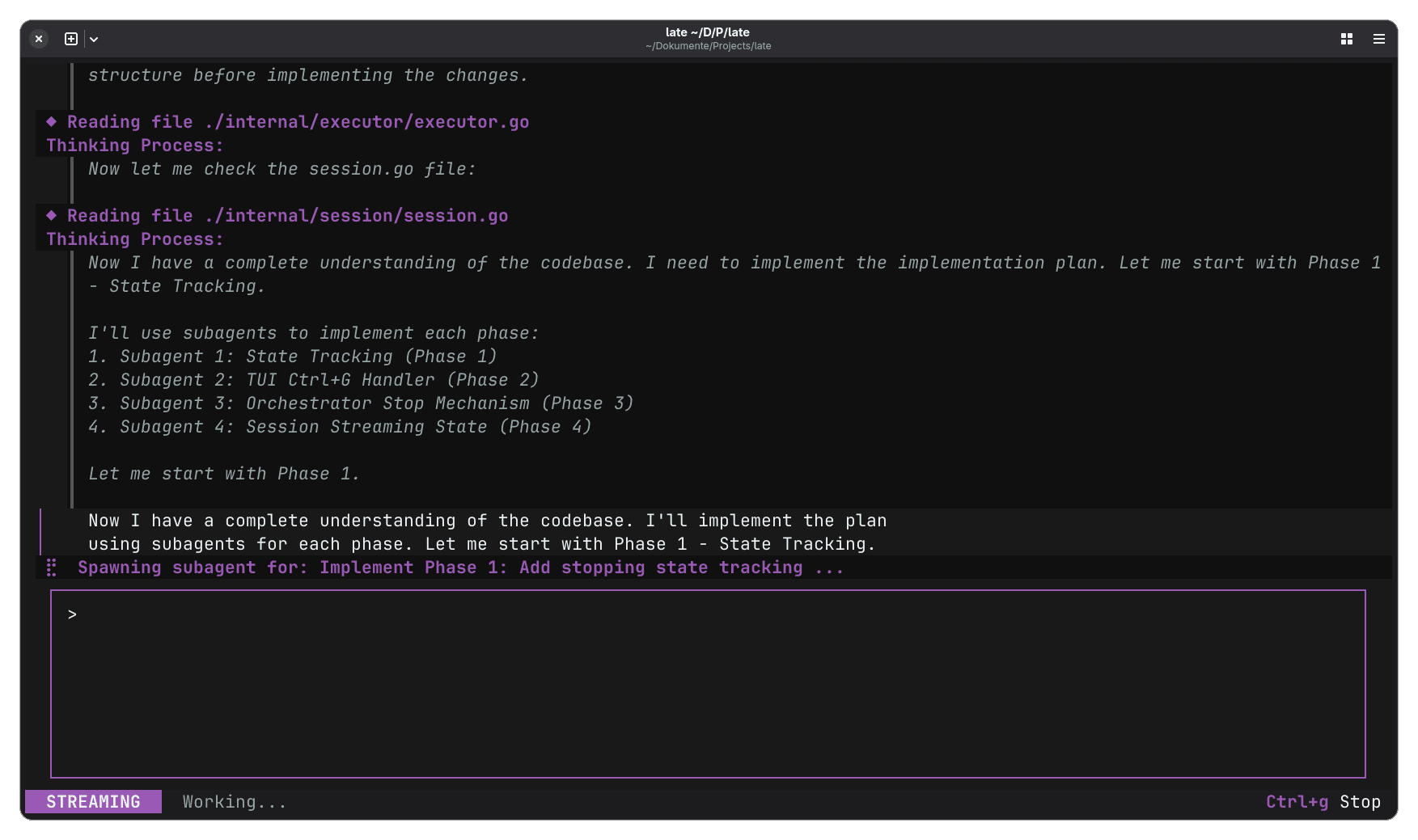
The primary orchestrator should operate like a lead architect. It should inspect the codebase, build a concrete implementation plan, decompose work into atomic tasks, and dispatch those tasks to short-lived subagents with tightly scoped, isolated contexts.
Each coding subagent should execute one bounded change, return a compact summary of the result, and terminate.
That keeps the planner's context clean, prevents edit history from ballooning, and avoids the gradual degradation you get when every action is forced through one ever-expanding conversation.
The result is a system that behaves less like a confused chatbot and more like a disciplined engineering team with clear task boundaries and fast feedback loops.
That is the idea behind Late.
Late is a deterministic coding-agent orchestrator built to make local LLMs viable for serious agentic software development.
Instead of dumping an entire repository into a single context window and hoping the model stays coherent, it maps the codebase, maintains a high-level control plane, and spawns ephemeral execution agents to perform precise, exact-match code edits.
By mirroring the structure of a real engineering organization, Late reduces token bloat, limits context pollution, and improves reliability under long-running coding workflows.
Before we get hands-on with Late, it is worth understanding the internal architecture and the design decisions that differentiate it from other coding agents.
To celebrate reaching 10,000 community members, we released Compass: a blueprint of a production-grade customer support agent built to demonstrate how modern agent systems are actually engineered and operated in real environments. Compass is part of our Agent Foundry program and you can get it here completely for free.
At a high level, Late is a local-first terminal coding agent written in Go.
It expects an OpenAI-compatible endpoint and it is intentionally simple:
OPENAI_BASE_URLlateThat means Late does not try to own the inference layer.
You can point it at a local llama.cpp server, or at another OpenAI-compatible serving stack, or at a cloud endpoint if you want more horsepower for specific tasks.
For example, Qwen3.5-35B-A3B is a sparse MoE model with 35B total parameters and 3B activated parameters, and compatible with popular serving stacks including OpenAI-compatible frameworks.
Late's design philosophy is closer to just-in-time context acquisition:
Because agents often work better when they keep lightweight identifiers and fetch detailed context at runtime rather than front-loading everything into one giant prompt.
If you make the orchestration model match how real engineers work, smaller local models become much more usable for real development.
That is a stronger and more useful claim.
Late has two fundamentally different agent roles:
The planning prompt in internal/assets/prompts/instruction-planning.md is extremely explicit.
The planner is described as the "Lead Architect and Planning Agent." It is told to investigate the codebase, understand structure and constraints, and then write a step-by-step implementation plan.
It is also told that it must use write_implementation_plan before execution and must use spawn_subagent for all direct file modifications. It is explicitly forbidden from editing files itself.
1. Capabilities & Restrictions
CRITICAL: You are an ARCHITECT, not a CODER.

YOU CAN: Read files, search the codebase, list directories, and analyze project structure.
YOU MUST: Use write_implementation_plan to record your design before any execution.
YOU MUST: Use spawn_subagent (type coder) for ALL direct file modifications. CRITICAL TOOL RULE: You MUST invoke the spawn_subagent tool MULTIPLE TIMES—exactly once for EVERY individual step in your Implementation Plan. You are strictly forbidden from passing multiple steps or the entire plan into a single spawn_subagent call.
YOU CANNOT: Edit files, create files (other than the plan), or run destructive bash commands.
Note: Direct file-editing tools (like write_file or target_edit) are physically removed from your toolset. You MUST delegate all coding to subagents.
Even for requests to "implement", "add", "update", or "edit", you MUST follow the plan -> subagent pipeline. Direct edits are only for subagents.

...
The coding prompt in internal/assets/prompts/instruction-coding.md is likewise narrow.
The coder subagent gets file-modifying tools that the main planner does not have.
It should read files, use write_file or target_edit, prefer native edit tools over bash hacks, and stop immediately if ambiguity appears. Instead of inventing its own interpretation, it is supposed to report back clearly to the main agent.
Goal
Your goal is defined by the main agent. You are typically asked to write code, refactor functions, or fix bugs in specific files.

Capabilities
You have access to the same tools as the main agent, IN ADDITION you also have access to file-modifying tools (write_file, target_edit) that are withheld from the main agent.
You should use read_file to understand the context.
You should use write_file or target_edit to modify code as instructed.
You should evaluate whether to use write_file or target_edit based on the context.
You must prefer native tools (e.g. write_file and target_edit) over bash commands (e.g. echo and sed).

...
In cmd/late/main.go, Late boots a root orchestrator with the planning system prompt, registers planning-safe tools, wires TUI integration, and then conditionally registers spawn_subagent.
The subagent runner creates a child orchestrator with a fresh session, passes along the goal and selected context files, executes it, and returns only a compact final result back to the main planner.
A simplified version of that wiring looks like this:
// Adapted from cmd/late/main.go
root := orchestrator.NewBaseOrchestrator("main", planningSession, nil, 0)

runner := func(ctx context.Context, goal string, files []string, agentType string) (string, error) {
  child, err := agent.NewSubagentOrchestrator(
      client,
      goal,
      files,
      agentType,
      enabledTools,
      injectCWD,
      gemmaThinking,
      subagentMaxTurns,
      root,
      program,
  )
  if err != nil {
      return "", err
  }

  return child.Execute("")
}
The key is the lifecycle:
That is the context isolation strategy in concrete form.
The subagent creation path in internal/agent/agent.go is worth looking at because it shows how much the repo cares about isolation.
The flow is roughly:
spawn_subagent and write_implementation_planHere is a simplified, adapted sketch of the logic:
// Adapted from internal/agent/agent.go
systemPrompt := loadPrompt("prompts/instruction-coding.md")
subSession := session.New(client, "", nil, systemPrompt, true)

// inherit safe parent tools, but block recursion/confusion tools
for _, tool := range parent.Registry().All() {
  if tool.Name() == "spawn_subagent" || tool.Name() == "write_implementation_plan" {
      continue
  }
  subSession.Registry.Register(tool)
}

// ensure coder gets edit tools
executor.RegisterTools(subSession.Registry, enabledTools, false)

initial := "Goal: " + goal + "\n\n"
initial += renderContextFiles(ctxFiles)

subSession.AddUserMessage(initial)
child := orchestrator.NewBaseOrchestrator("subagent", subSession, middlewares, maxTurns)Many coding agents still rely on fragile diff formats or on bash-based file mutation tricks that feel convenient until the model corrupts a file, misses a target block, or writes to the wrong path.
Late's target_edit tool is refreshingly strict.
The tool in internal/tool/targetEdit.go requires three things:
It reads the file, verifies that the search block exists, counts how many times it appears, and fails if the block is missing or appears more than once.
Only then does it apply the replacement.
That means the model cannot wave vaguely at "something like this function" and hope the patch lands correctly.
A simplified version looks like this:
// Adapted from internal/tool/targetEdit.go
content := readFile(file)

count := strings.Count(content, search)
if count == 0 {
  return error("search block not found")
}
if count > 1 {
  return error("search block must be unique")
}

updated := strings.Replace(content, search, replace, 1)
writeFile(file, updated)
It turns file edits into a deterministic contract:
Late aims for "zero silently broken code" through strict exact-match search/replace blocks.
Late uses a practical, inspectable set of constraints:
cd and requires explicit cwd usage insteadcat > fileA simplified sketch of the guardrail logic looks like this:
// Adapted from internal/tool/implementations.go
if containsCd(command) {
  return error("use cwd parameter instead of cd")
}

if usesCatRedirection(command) {
  return error("use native write_file or target_edit instead")
}

if cwd != "" && !IsSafePath(cwd) {
  return error("cwd is outside the allowed directory")
}

if hasNonWhitelistedCommand(command) {
  requireConfirmation()
}
A lot of the usable quality of coding agents comes from the harness around the model:
This is showing how much rigor you can get by treating the agent like a real systems component.
You need:
For the backend, llama.cpp is the most obvious local choice because it exposes an OpenAI-compatible llama-server HTTP endpoint.
You can either install Late from a release binary:
# Download the latest release binary from the repo's Releases page
chmod +x late-linux-amd64
mv late-linux-amd64 ~/.local/bin/late
or build Late from source:
git clone https://github.com/mlhher/late.git
cd late
make build
make install
Then start a local OpenAI-compatible model server.
A minimal local example with llama.cpp looks like this:
# Example only: point -m at your local GGUF model file
llama-server -m /models/qwen3.5-35b-a3b-q4.gguf --port 8080
The important part is that llama-server exposes the OpenAI-compatible API Late expects. The default chat completions route is:
http://localhost:8080/v1/chat/completionsLate reads OPENAI_BASE_URL and defaults to http://localhost:8080 if you do not set one.
export OPENAI_BASE_URL="http://localhost:8080"If you are using a hosted OpenAI-compatible provider, set the API key as needed:
export OPENAI_API_KEY="your-key"Then you can run Late:
lateThat launches the TUI.
Move into the project you want to work on and run late.
cd ~/src/my-app
late
Late injects the current working directory into prompts where needed and uses that as the effective project jail for operations.
Then you can give it a task that requires planning.
Use a request with enough shape that the planner can investigate the repo and produce a real implementation plan.
For example:
Add optimistic UI updates to the comment form, preserve rollback on server failure, and add tests for the new behavior.A good Late task has:
Because the planner is instructed to explore before planning, this kind of task works well.
Then let the planner map the repo and write implementation_plan.md.
Late's planning prompt instructs the main orchestrator to read files, trace logic, identify constraints, and then save a structured Markdown plan to implementation_plan.md.
That plan-first artifact is one of the strongest parts of the system.
You can inspect it, challenge it, or resume from it later.
You can then approve the plan.
Late's planner is supposed to ask for approval before execution, and this is where you, as a developer, should do what you would do with a junior engineer's proposal:
Once approved, each step is delegated to a coder subagent.
This is where Late departs from most agent CLIs.
The planner should not perform the edit itself but it spawns a coder subagent for exactly one step of the plan.
The subagent gets a bounded goal and, optionally, selected context files. It reads what it needs, edits via native tools, and returns a summary.
Because the planner only gets the summary of the step instead of the entire noisy implementation trace, it retains a cleaner representation of the overall project state.
This is the whole reason the architecture works well with smaller local models.
Late also exposes worktree commands:
late worktree listlate worktree create <path> [branch]late worktree remove <path>late worktree activeThose commands are wired in cmd/late/main.go, and they are for isolated parallel development.
Instead of one agent thrashing around on one working tree, you can isolate branches and experiments in a way that matches how human engineers already reduce merge risk.
Late includes two useful configuration surfaces.
internal/config/config.go shows that Late looks for a config file under the user config directory and pre-populates enabled tools by default:
read_filewrite_filetarget_editspawn_subagentbashA simplified example of the config structure looks like this:
{
"enabled_tools": {
  "read_file": true,
  "write_file": true,
  "target_edit": true,
  "spawn_subagent": true,
  "bash": true
}
}
That is useful if you want to hard-disable bash or other capabilities in a stricter environment.
Late also supports MCP server config files. In internal/mcp/config.go, the loader checks for project-level .late/mcp_config.json first, then user-level config under the Late config directory.
Each server entry supports command, args, env, and disabled.
A minimal shape looks like this:
{
"mcpServers": {
  "my-server": {
    "command": "/path/to/mcp-server",
    "args": ["--stdio"],
    "env": {
      "TOKEN": "${MY_TOKEN}"
    }
  }
}
}
MCP integration maps external servers into the tool interface while avoiding massive token bloat.
That is consistent with Late's general philosophy: connect the agent to capabilities at runtime, not by inflating the planner context forever.
Even if you never use Late directly, it offers strong patterns for how to structure planner/worker systems.
The most important thing to take from Late is this:
The quality of an agentic coding product depends as much on orchestration shape as on the frontier performance of the underlying model.
That means if you are building your own agent platform, you should spend more time on questions like:
These are software architecture questions, not model benchmark questions.
And that is why Late is relevant even if you never run it.
It points toward a more mature way of building developer-facing agents: one that assumes the model is part of a larger system, not the whole system.