Tiny features have a way of becoming expensive the moment they leave a developer laptop and land on hardware that has 64MB of RAM, a cranky watchdog, and no patience for bloat.
That’s where the smaller OpenClaw builds start to matter.
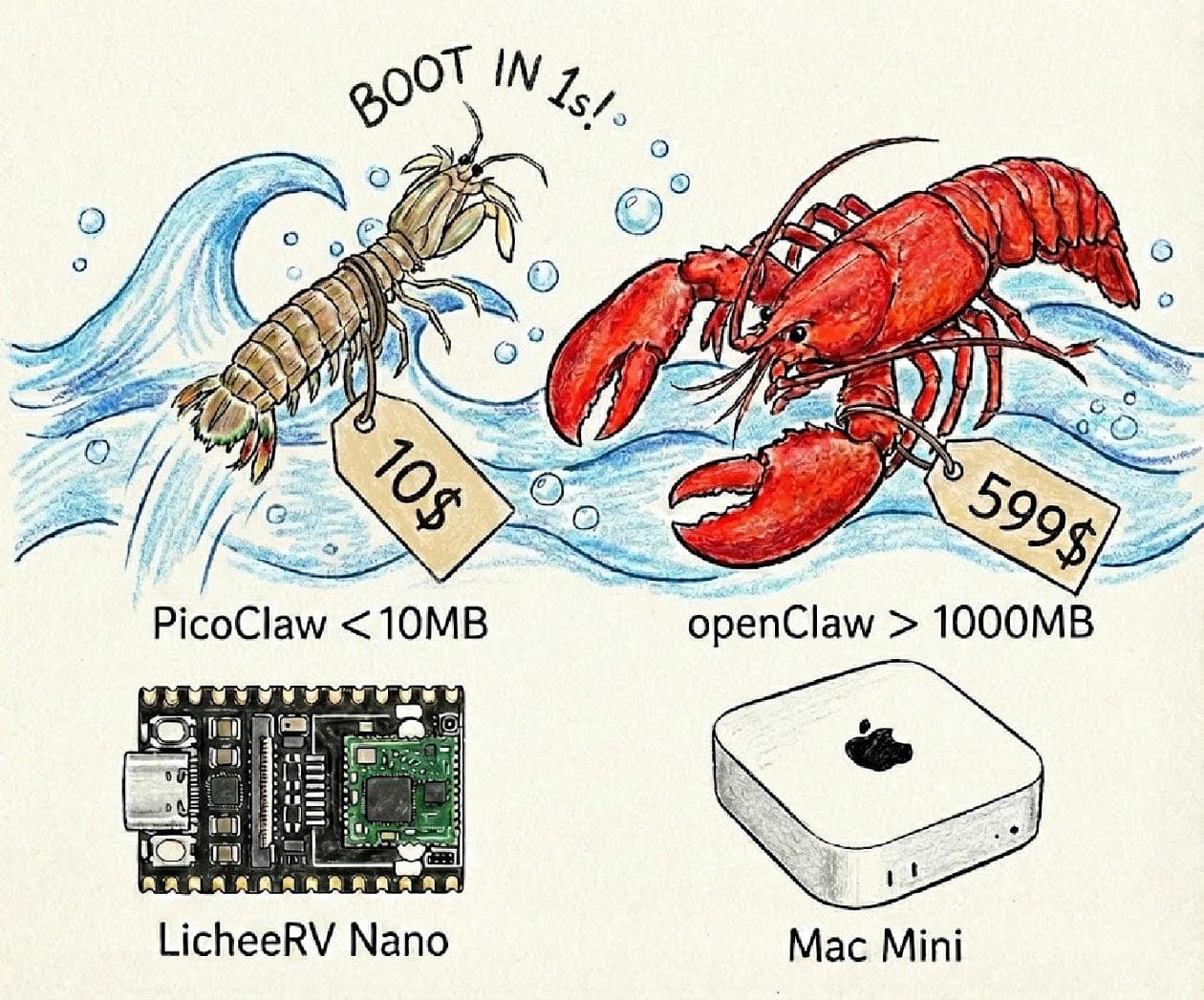
There are lean, stripped-down OpenClaw variants that reportedly live in roughly ~10MB of memory. Not “10MB on top of everything else.” Not “10MB once the process settles.” Just something close to 10MB to be alive at all.
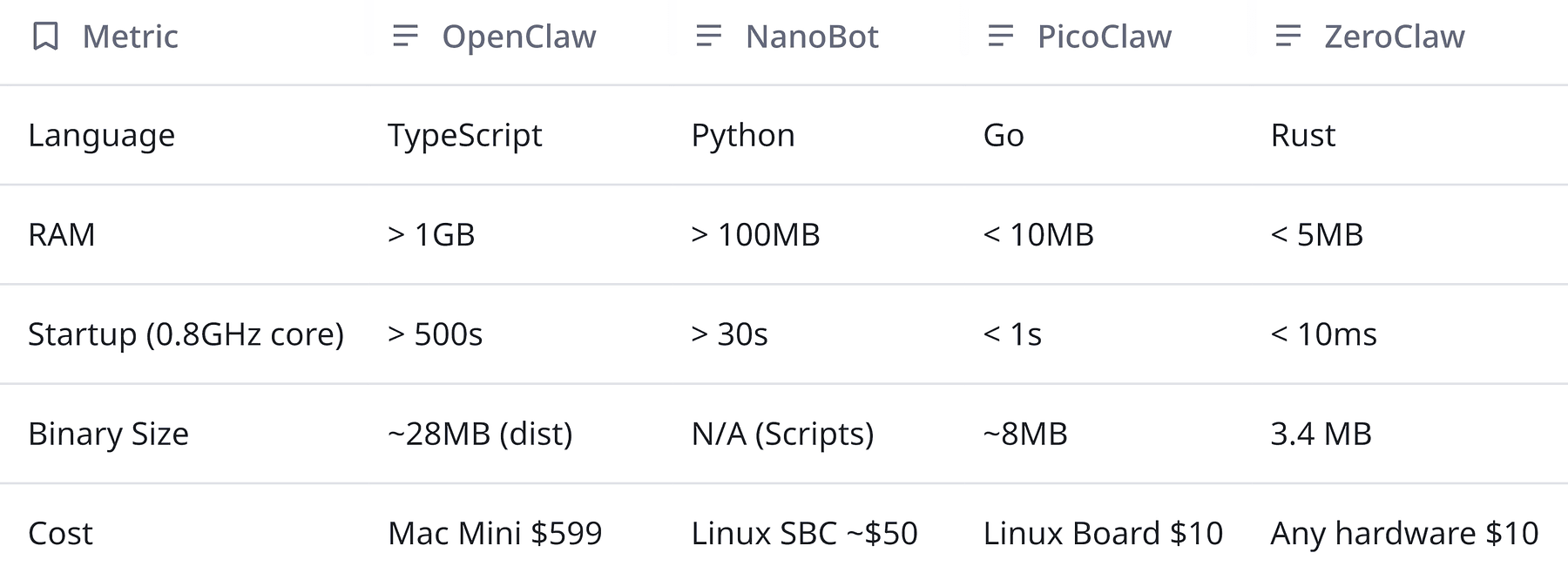
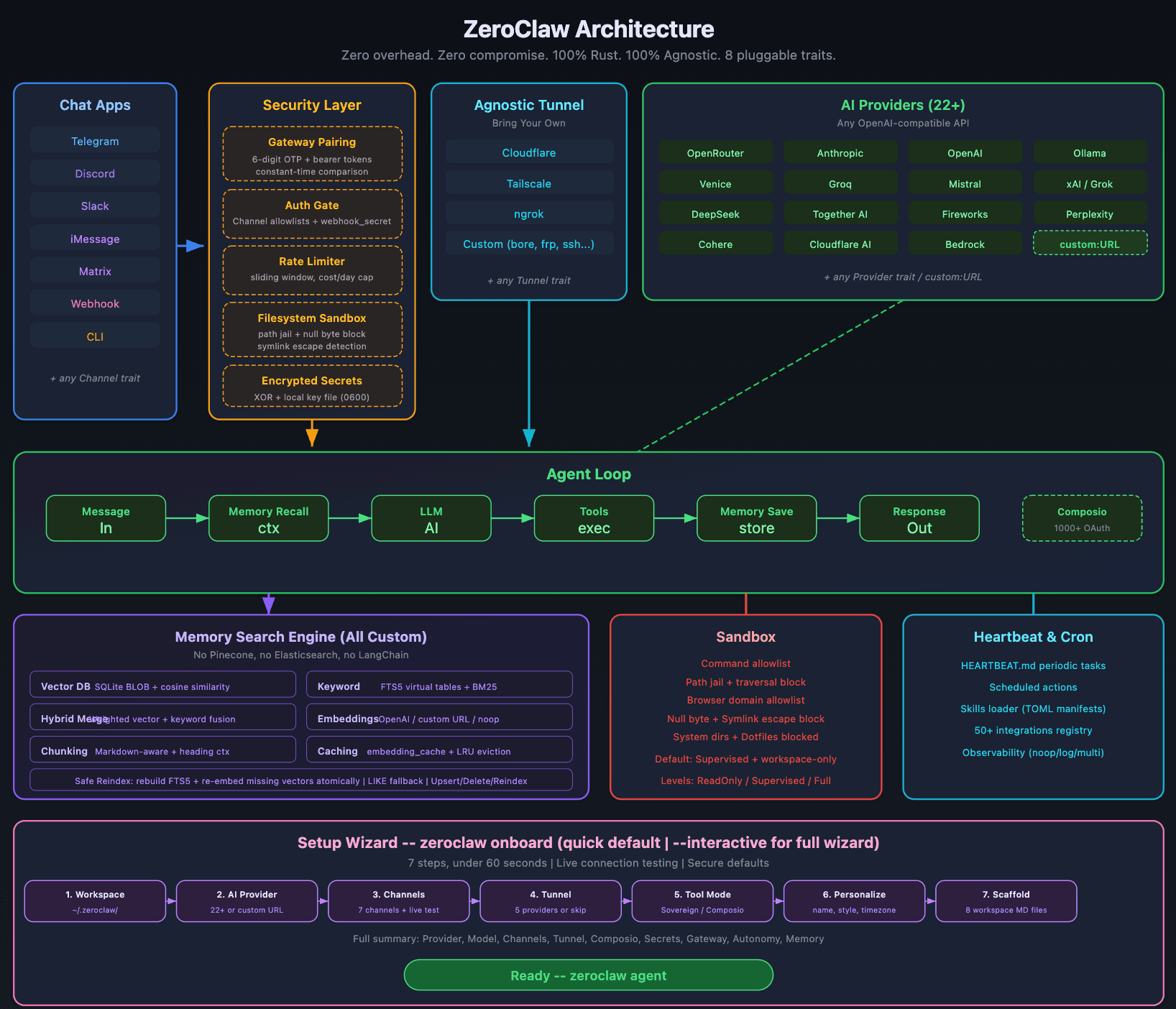
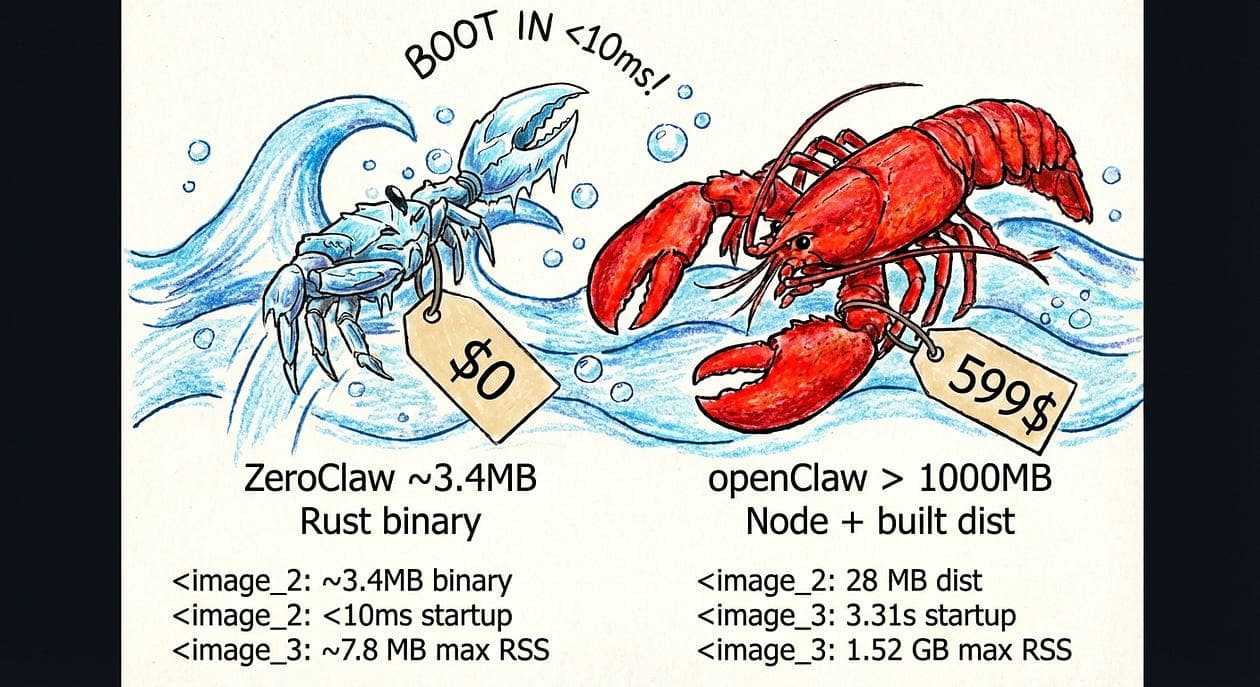
And what makes it interesting is that this isn’t a single approach. It’s three different cuts at the same problem: Picoclaw, Zeroclaw, and Nanobot — each one trying to answer the same question with a slightly different philosophy.
That tradeoff is the real story.
You want enough capability to ship something useful. Your target environment wants the exact opposite: fewer dependencies, less memory overhead, smaller binaries, and no surprises at runtime.
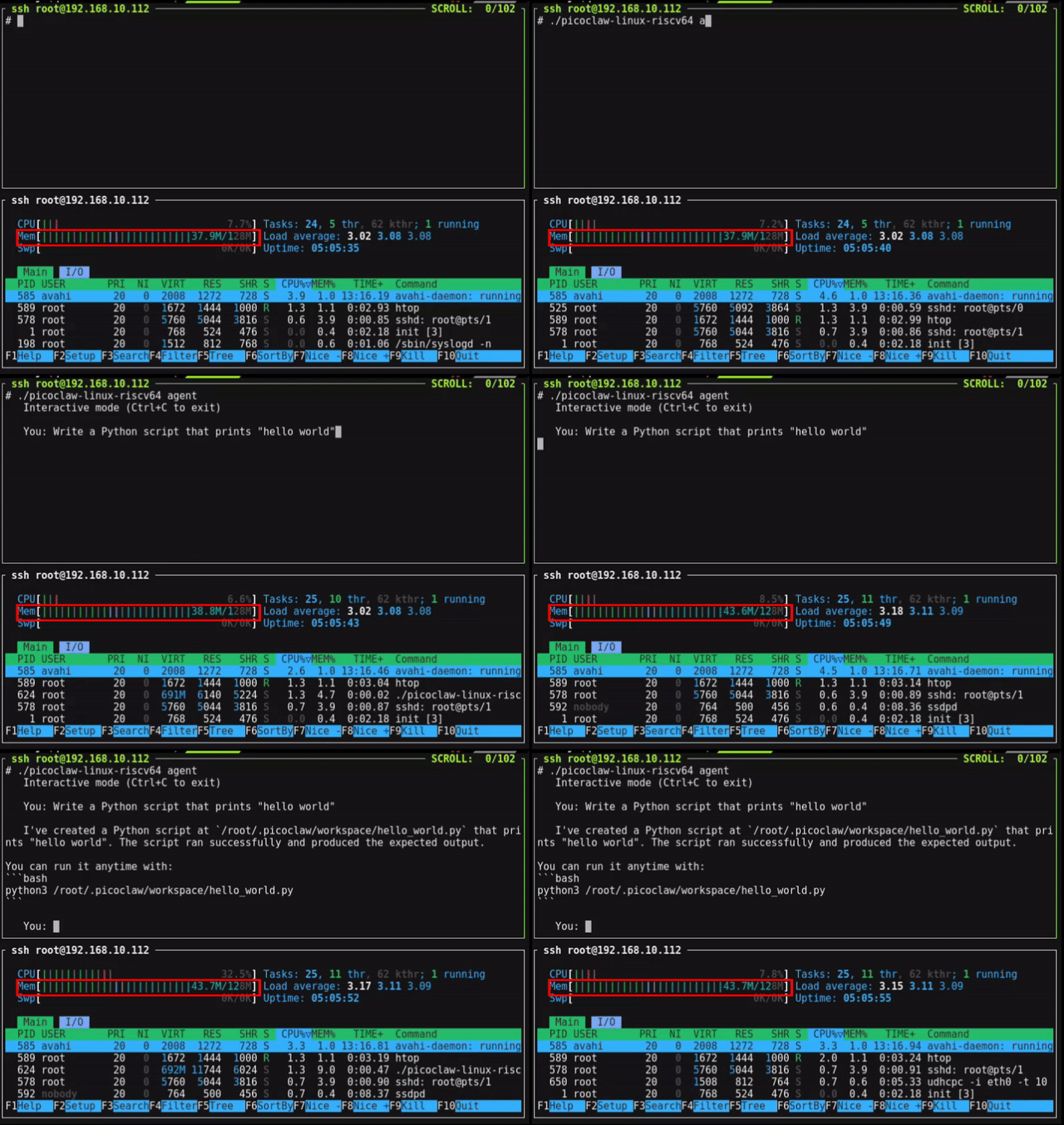
So before getting into which variant does what, I want to show the measurement setup I use to compare memory usage across builds. Because in real-world systems, “10MB RAM” is rarely a clean number. It changes depending on whether you’re counting startup state, steady-state residency, mapped pages, allocator slack, or the memory your tooling quietly burns in the background.
Why these edge-friendly builds deserve more attention
For years, a lot of AI software has been designed around a comfortable assumption set:
plenty of memory
a GPU nearby, or at least a generous CPU budget
large runtimes with thick dependency graphs
container-heavy deployment paths
monitoring layers that are sometimes fatter than the model they’re watching
That worldview is starting to break.
Deployment reality: teams want AI capabilities in places that were never built for heavyweight stacks — embedded systems, edge boxes, internal utilities, kiosks, customer-managed environments, low-cost instances, and background workers with hard limits.
Cost reality: RAM is not just a technical constraint; it is a billing line. In multi-tenant systems, serverless jobs, and high-scale worker fleets, memory overhead compounds fast.
Operations reality: memory pressure is one of the least glamorous and most persistent ways systems fail. OOM kills, fragmentation, creeping leaks, and misleading local benchmarks all turn into production pain.
So when I read minimum ~10MB RAM attached to optimized OpenClaw variants, I don’t just see a spec line. I see a signal:
The default stack was too heavy, and someone decided to do the hard engineering instead of pretending hardware would save them.
That matters even if you never plan to deploy on a tiny edge device.
Because the discipline required to squeeze a system into a memory envelope that small often creates software that is:
cheaper to operate
quicker to start
more resilient under pressure
simpler to understand when something breaks
Not universally. But often enough to pay attention.
Light-weight Variants of OpenClaw
There are three light-weight optimized variants of OpenClaw that use minimum ~10MB of RAM
for c in 1 2 4 8 16; do
echo "=== concurrency=$c ==="
./bench_mem.sh "./your_service --concurrency $c --run-sample-workload"
done
If you want a lightweight AI component to survive production, here’s what I check.
Memory behavior
Peak RSS measured under representative load
Memory stable over time (no slow leaks across minutes/hours)
Caches have explicit size limits (no “unbounded until OOM”)
Concurrency scaling understood and tested
Operational behavior
Fails gracefully under memory pressure (clear errors, no corruption)
Startup cost measured (cold start matters)
Logging/tracing can be tuned down without code changes
No hidden background threads that allocate unpredictably
Product risk
Active maintenance signals (issues, commits, releases)
Clear licensing and ownership alignment
Integration surface matches your stack (CLI, library, service)
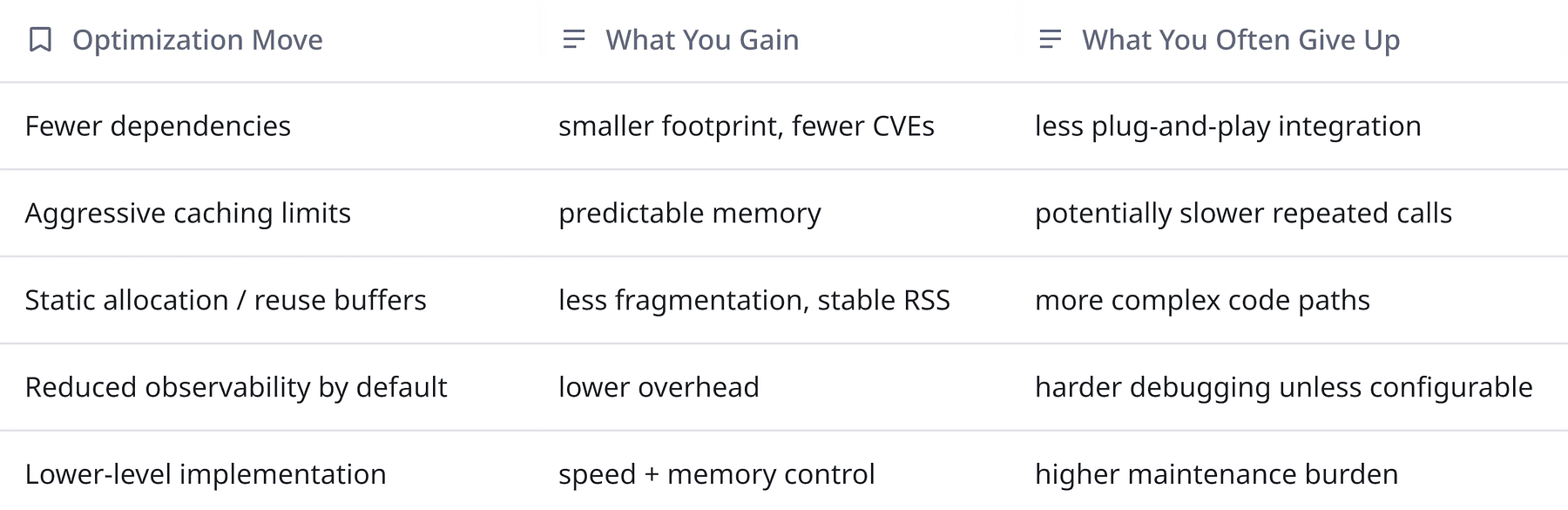
A tiny table of tradeoffs
This is general background knowledge and applies to most “lite” variants:
So… which of the three should you pick?
I can tell you how I’d frame the decision in a way that respects both engineering reality and product needs.
1) Decide what “Openclaw compatibility” actually means for you
Open question:
Do you need drop-in API compatibility with baseline Openclaw?
Or do you just need the capability in a smaller envelope?
2) Decide what kind of system you’re building
Embedded-ish? You care about deterministic memory and predictable failure modes.
Multi-tenant service? You care about per-instance overhead and concurrency scaling.
Client-side app? You care about startup cost, battery, and background memory.
3) Treat the three variants as a portfolio, not a beauty contest
The most product-minded move might be:
prototype with two of them
run the same harness
measure memory + latency + failure modes
and pick the one that fits your constraints today
Then keep the others on your radar as contingency options.
My slightly opinionated take
If you’ve never shipped into tight memory budgets, it’s tempting to optimize last.
Once your architecture depends on a heavyweight runtime, your product roadmap starts inheriting infra requirements:
larger nodes
fewer deployment targets
more operational fragility
more cost to scale
and more “it works in staging” lies
So when I see three independent lightweight variants clustered around a ~10MB floor, I see a community (or ecosystem) converging on a truth:
The default stack is too fat for where people want to ship next.
Even if OpenClaw itself is something totally different than what I’m imagining, the pattern is stable: constraints drive innovation and the best product teams make those constraints explicit early.
Concluding thoughts
You don’t need to be building for microcontrollers to care about memory discipline.
If you’re building AI features that need to run everywhere, these three OpenClaw variants are worth looking at.
And if you’re not in that world yet? You will be. Product always wants one more surface area.