Loading...
Back to Archive

4 min read

Fine-Tune Gemma 4 Models on Your MacBook

April 15, 2026

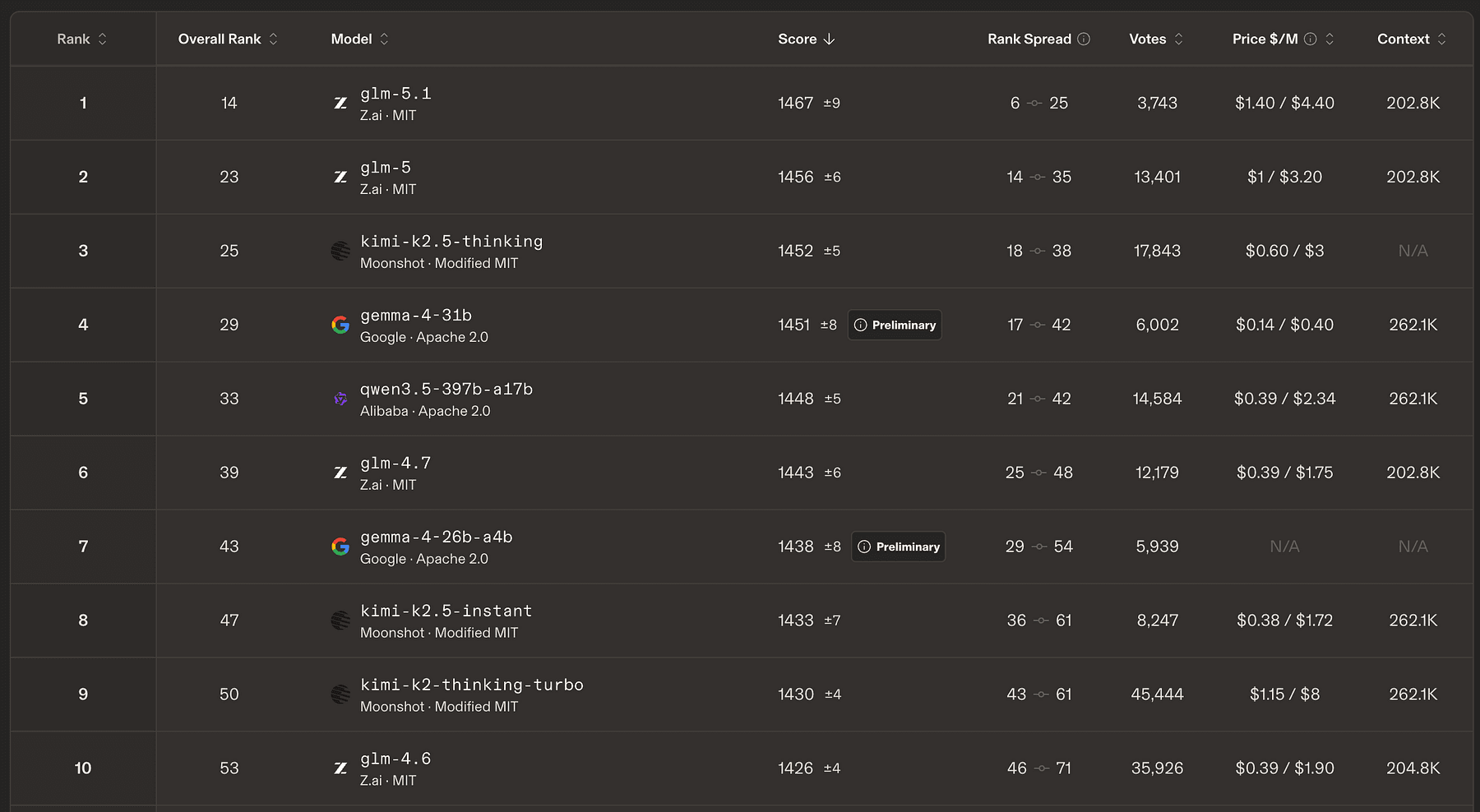
Gemma 4 is Google’s most capable family of open models, and the 31B variant currently ranks #4 on the Arena AI Text Leaderboard.
Article image

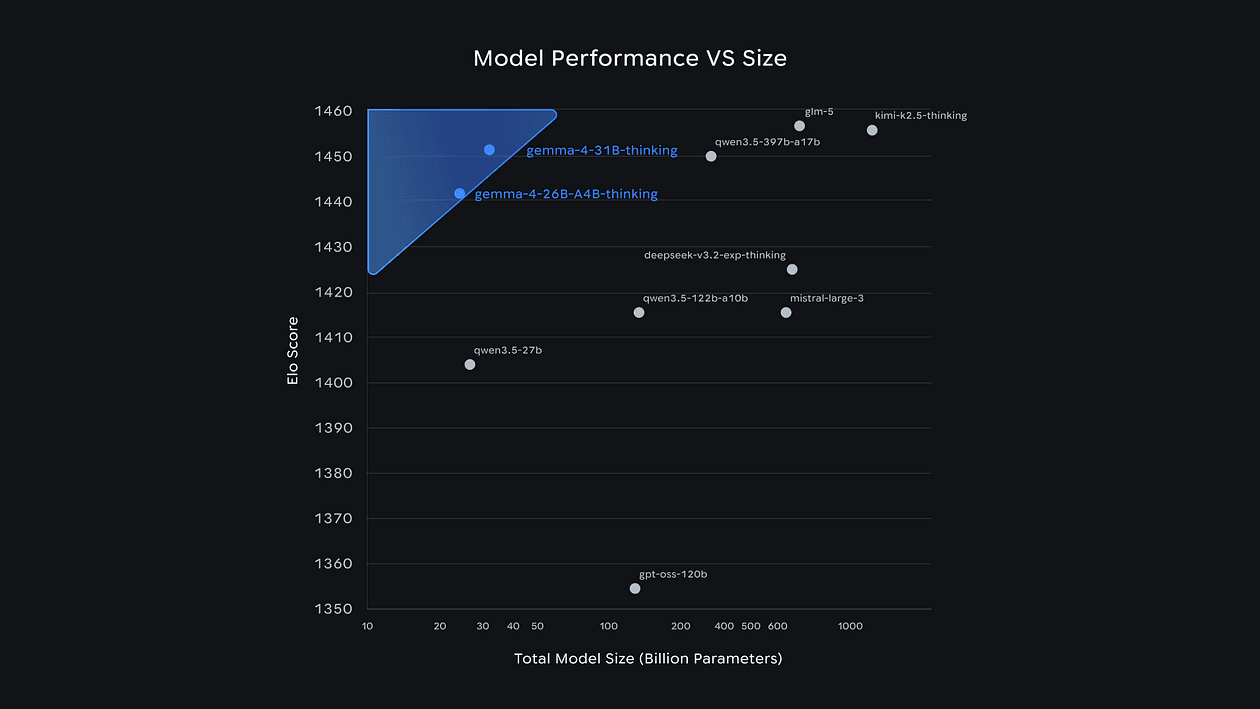
What makes them stand out is just how much performance they deliver for their size.
Article image

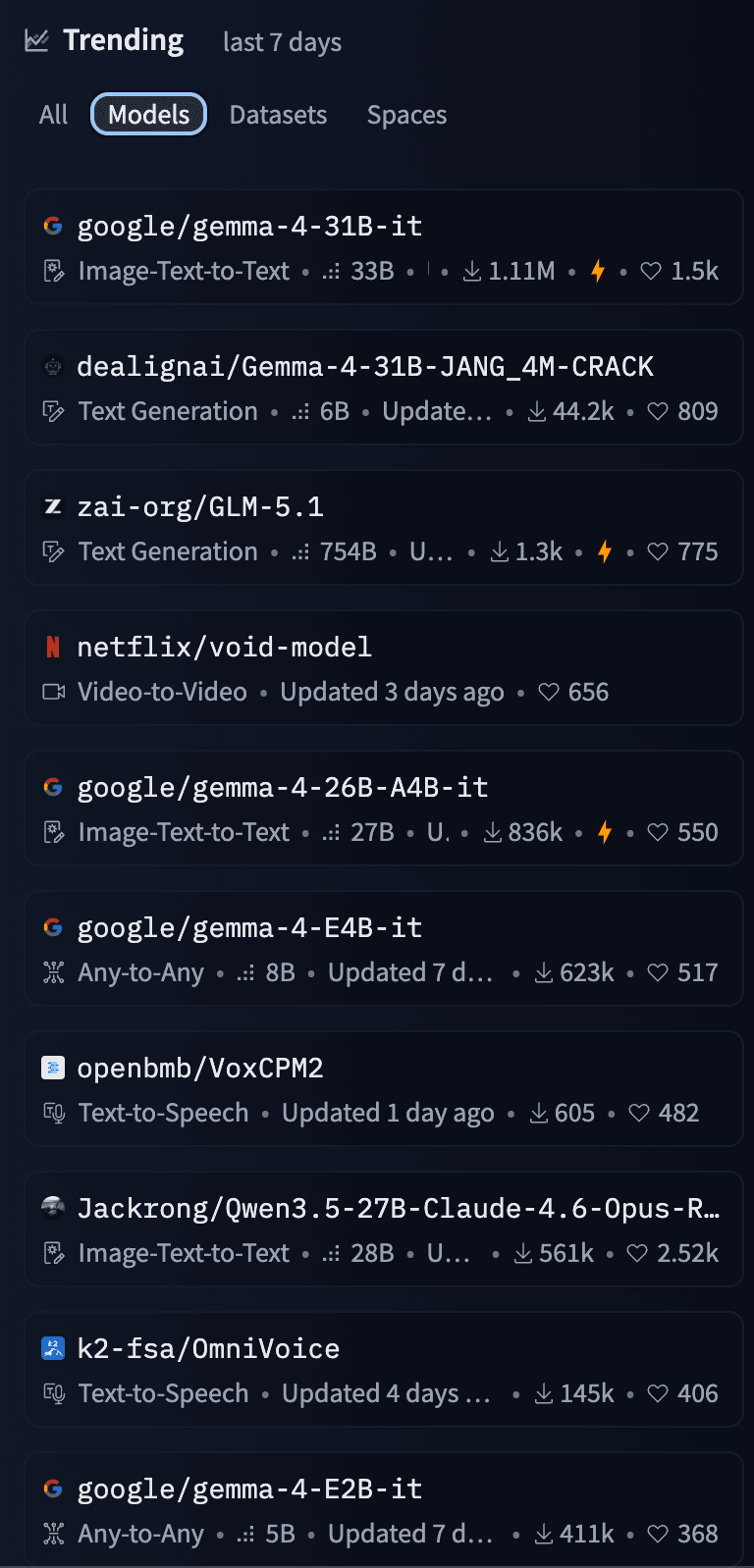
That’s why all Gemma 4 models are trending in HuggingFace Top 10 this week.
Article image

Especially the E2B and E4B models prioritize multimodal capabilities, low-latency processing, and ecosystem integration over raw parameter count.

You can fine-tune Gemma models on text, images, or audio on your gaming GPU or MacBook without renting an H100.

All three modalities run on Apple Silicon.

Gemma Multimodal Fine-Tuner is a multimodal LoRA fine-tuning workbench for Gemma models on macOS. It gives you:

  • Text-only instruction or completion tuning from CSV
  • Image+text tuning for captioning and VQA from CSV
  • Audio+text tuning (ASR-style) that is designed to work on Apple Silicon (no CUDA required)
  • Optional streaming scenarios for very large datasets (e.g., cloud storage) so you don’t need to copy terabytes of data to your laptop
  • CLI-driven workflow with an interactive wizard and live training visualization

Here’s a comparison with other commonly used fine-tuning toolkits:
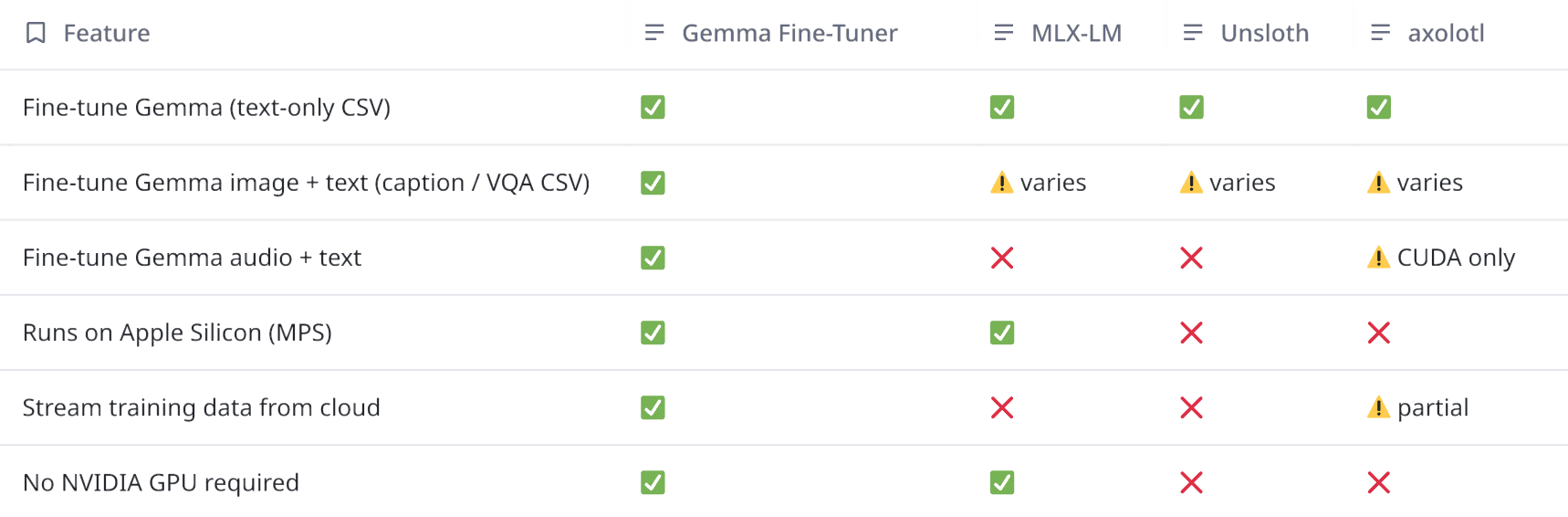
Article image

Let’s see how we can fine-tune our first model.

Editor’s Note: We recently published a few deep-dives on Agentic Design Patterns, Workflows and Operations, sourced from the most innovative products and startups of 2026.

You can read the deep dives here, packed with real-world examples, architectures, and workflows you won’t find anywhere else.

Setup on Apple Silicon

Gemma Fine-Tuner targets:

  • Python ≥ 3.10, matching its packaging metadata.
  • macOS with Apple Silicon for MPS, avoid Rosetta Python for the local/MPS path.
  • PyTorch installed separately, because the correct build depends on whether you’re on MPS, CUDA, or CPU-only.

Start by creating a clean virtual environment

Code
bash
brew install python@3.12

python3.12 -m venv .venv
source .venv/bin/activate

Install dependencies

Code
bash
pip3 install torch torchaudio
git clone https://github.com/mattmireles/gemma-tuner-multimodal.git
cd gemma-tuner-multimodal
pip3 install -e .

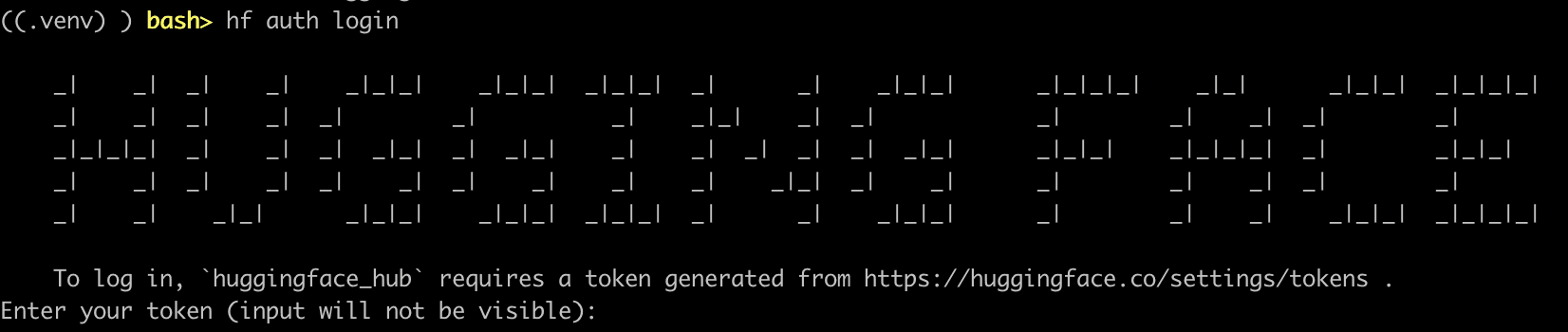
Authenticate with HuggingFace

Code
bash
# brew install hf
hf auth login
Article image

Install Gemma 4 specific requirements

Code
bash
pip3 install -r requirements/requirements-gemma4.txt

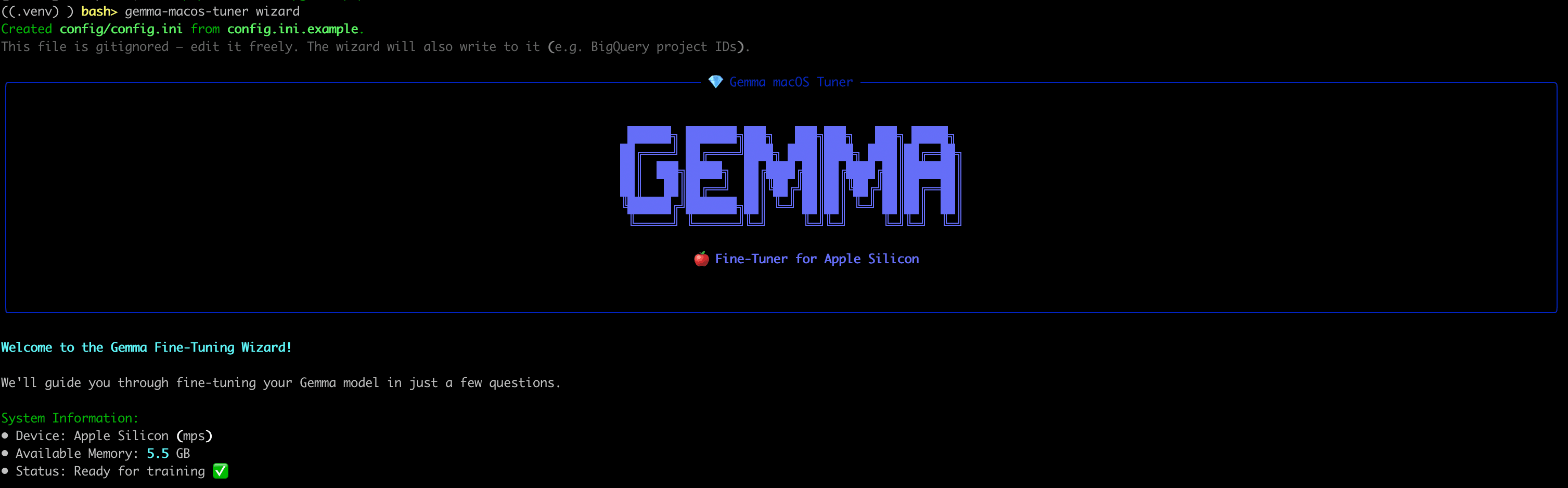
You can now run the wizard:

Code
bash
gemma-macos-tuner wizard
Article image

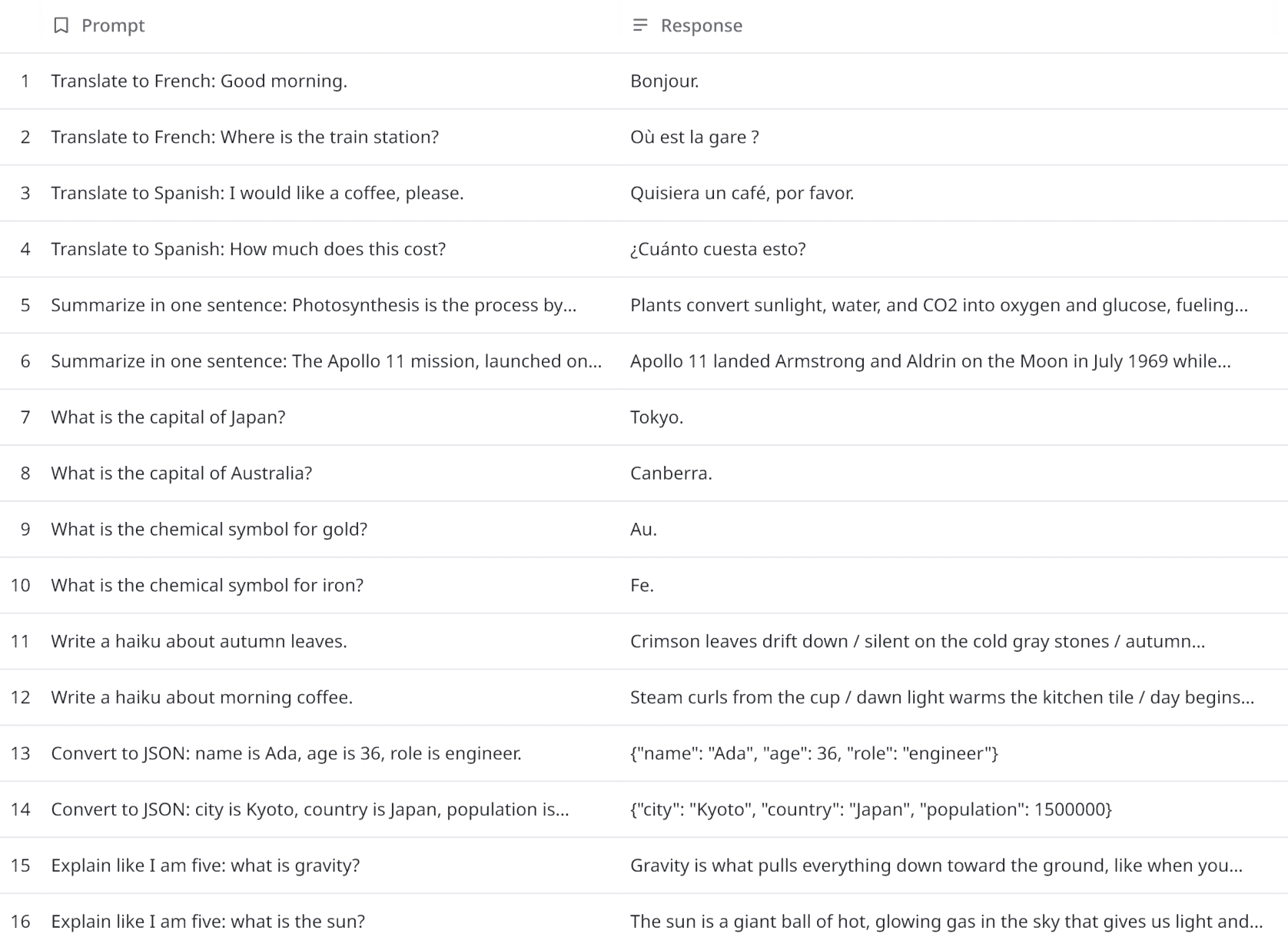
Gemma Fine-Tuner ships a 16-row instruction-tuning dataset at data/datasets/sample-text/: translations, summaries, trivia, haiku, and JSON conversion. Small enough to finish in under a minute. Large enough to prove the full pipeline works: data loading, tokenization, LoRA, checkpointing, and export.

Article image

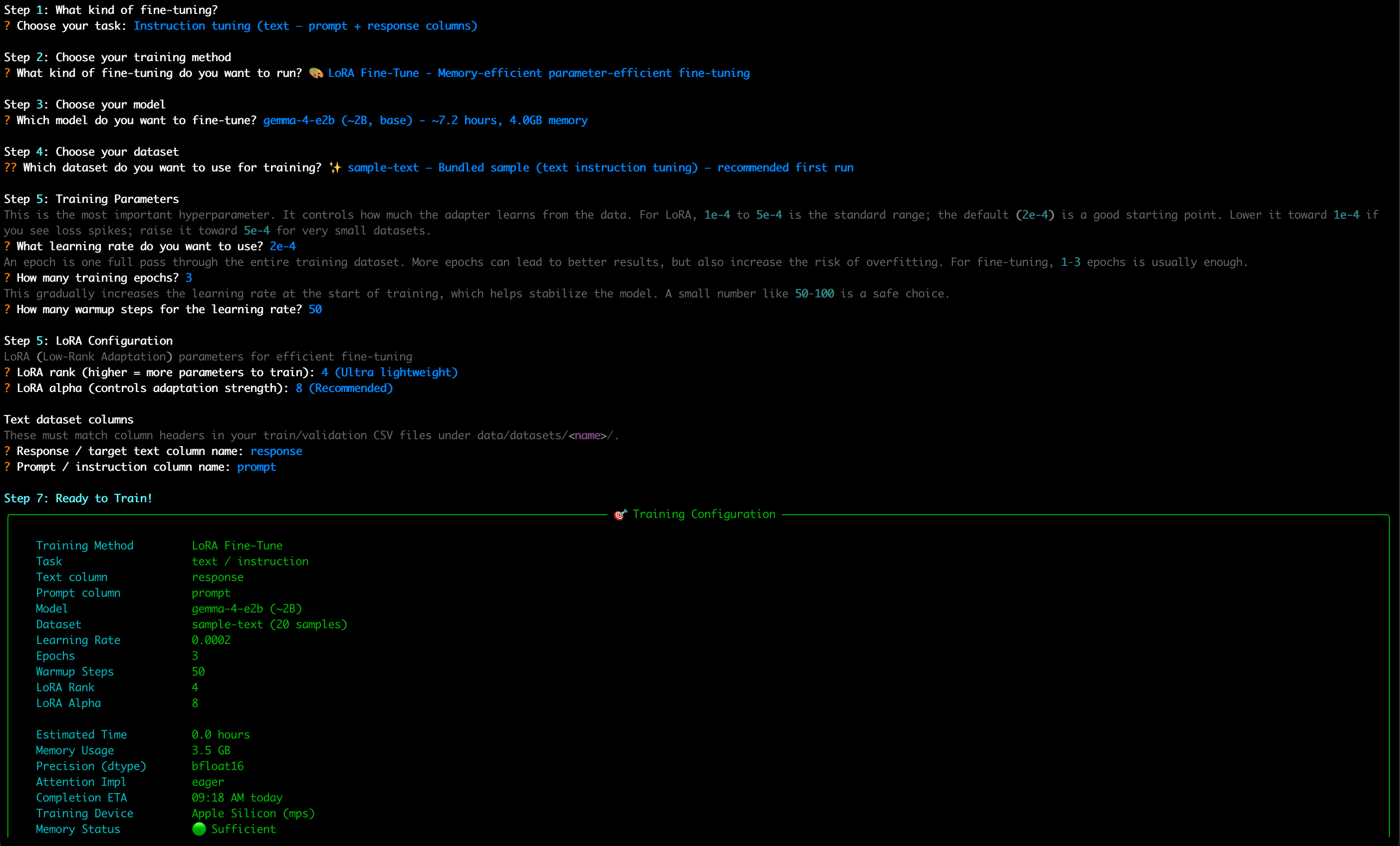
Once you press Enter, Gemma Fine-tuner will walk you through the training config with sensible defaults.

Article image

Once you confirm the configuration, it will start training.

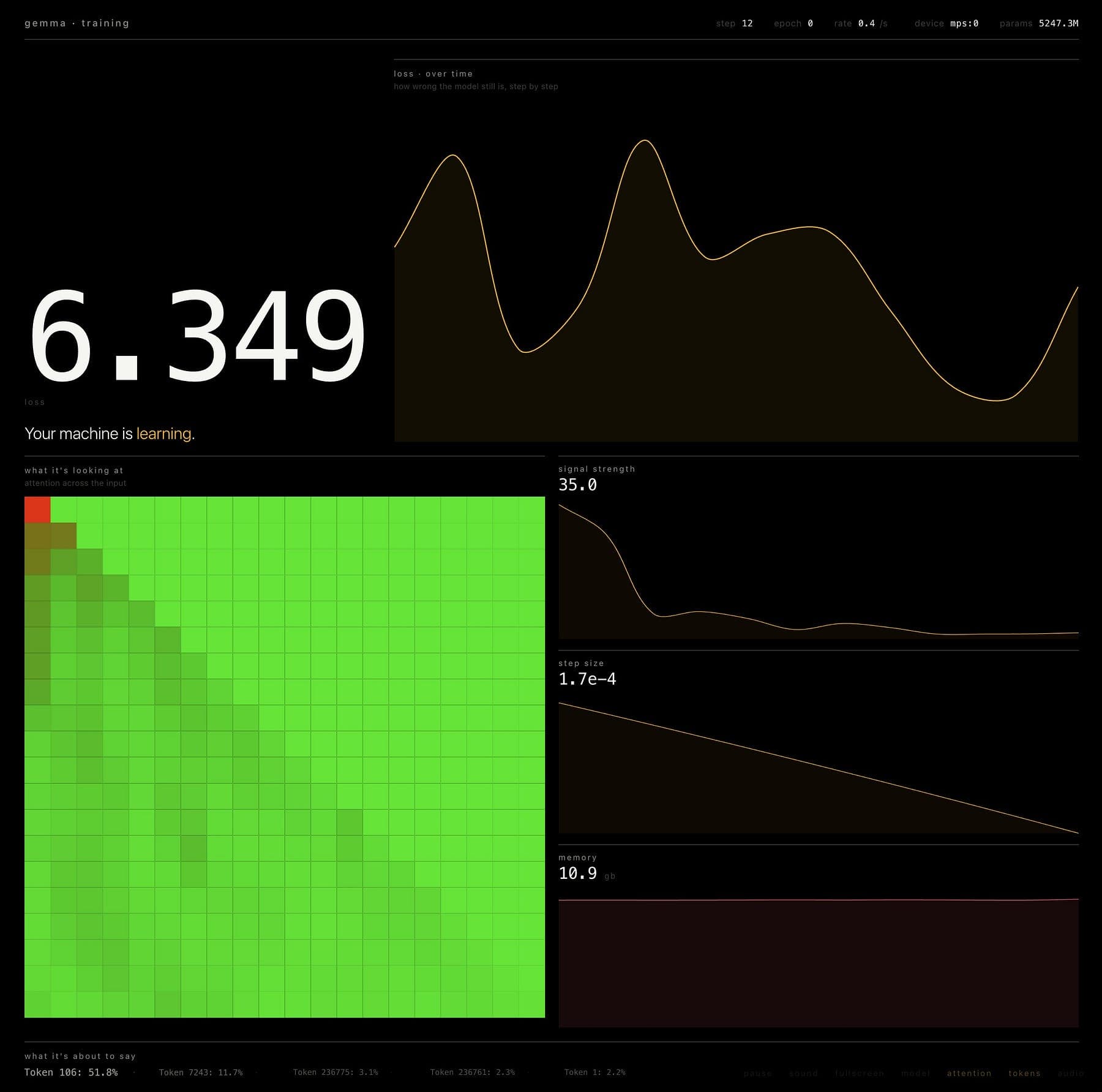
You can see the training progress in its UI.

Article image

That’s it!

Here’s a CLI cheat-sheet that you may find handy.

Code
bash
# Dataset prep (profile names come from config/config.ini)
gemma-macos-tuner prepare <dataset-profile>

# Train (model in profile must be a Gemma id / local path with "gemma" in the string)
gemma-macos-tuner finetune <profile> --json-logging

# Evaluate
gemma-macos-tuner evaluate <profile-or-run>

# Export merged HF/SafeTensors tree (LoRA merged when adapter_config.json is present)
gemma-macos-tuner export <run-dir-or-profile>

# Blacklist generation from errors
gemma-macos-tuner blacklist <profile>

# Run index
gemma-macos-tuner runs list

# Guided setup
gemma-macos-tuner wizard

Streaming and large datasets

Gemma Fine-Tuner also supports a streaming_enabled dataset load path at the dataset utility layer, and the patch/override system explicitly supports streaming iteration, applying overrides and blacklists on the fly during iteration rather than via dataset.map.

Two boundaries to keep straight:

  • Text and image fine-tuning are deliberately constrained to non-streaming local CSV in v1, and the dataset loader will reject Granary/BigQuery/GCS streaming adapters for those modalities.
  • Audio workflows are where streaming is expected (and where the repo’s release notes emphasize GCS / BigQuery streaming as a differentiator).

From a configuration and code standpoint, the “dataset source adapter” logic is simple and intentionally CSV-centric:

  • local CSV non-streaming adapter
  • streaming CSV adapter when streaming_enabled is true or source_type indicates streaming/GCS
  • and special-handling for dataset “source” naming to align patch directories with streamed dataset identities.

This is trying to keep “what you train on” human-auditable (CSV rows you can inspect), even when the underlying audio assets live remotely.

A practical agentic loop mindset

Now, if you’re building agentic systems on top of a fine-tuned Gemma checkpoint, the high-level loop usually looks like:

  • Observation: gather inputs (text + optional audio + optional images)
  • Plan: let the model decide whether to call a tool (function calling) or respond directly
  • Act: execute tool calls in code, with validation and access control
  • Reflect: feed tool outputs back to the model for next-step reasoning
  • Commit: produce user-visible output, again schema-checked when needed

Gemma 4 models explicitly position function calling and structured JSON outputs as enabling agentic workflows.

You can use Gemma Fine-Tuner to make the model competent at your domain’s observations and actions, without turning your agent into a prompt spaghetti monster.

A few examples that align closely with the supported modalities and dataset shapes:

  • Voice-first internal tooling agent: audio input (calls, meetings), text output (structured JSON summaries, action items, tool calls).
  • Screen-understanding support agent: screenshot image input, tool calls to retrieve account state, JSON outputs for ticket creation.
  • On-device privacy-preserving assistant: train and run locally with user data constraints, ship merged SafeTensors artifacts for downstream deployment tooling.

If you end up fine-tuning a few models, please share your observations in the comments.